How to reward customers for leaving a review
with Loox
Learn how to integrate with Loox in BON Loyalty, and set up rewards for each time your customer leaves a review
注意: The “Leave a review” feature will be available on the Basic plan and higher. Check out our Pricing plans for more details!
Integrating Loox in BON Loyalty
To reward your customers for their reviews, it is essential that you connect Loox with BOn Loyalty. This integrating process includes 3 steps as below:
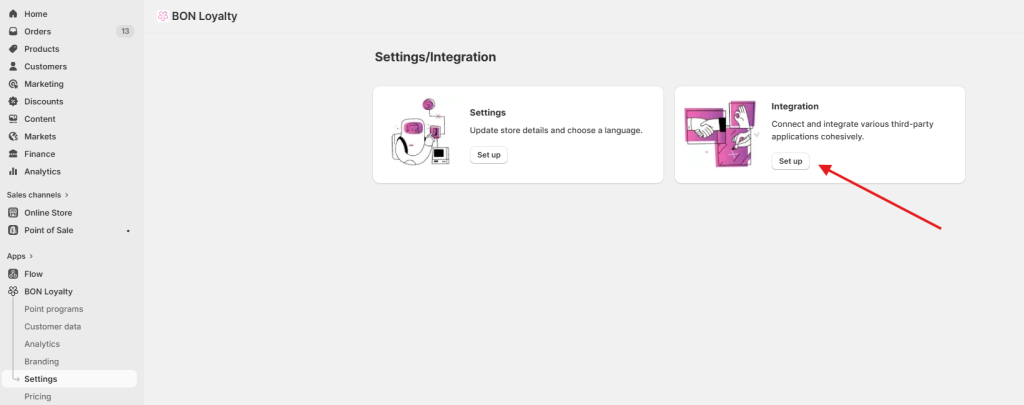
Step 1: Go to Settings > Choose Integration and click Set up
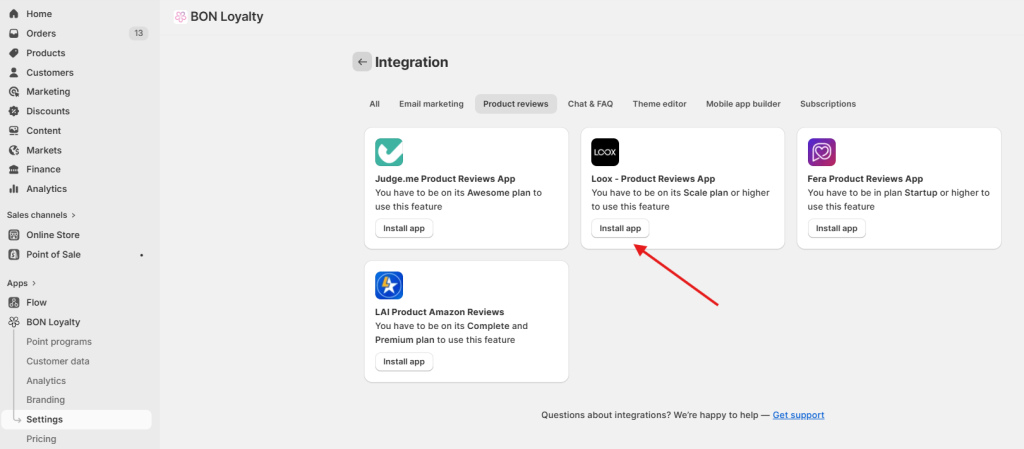
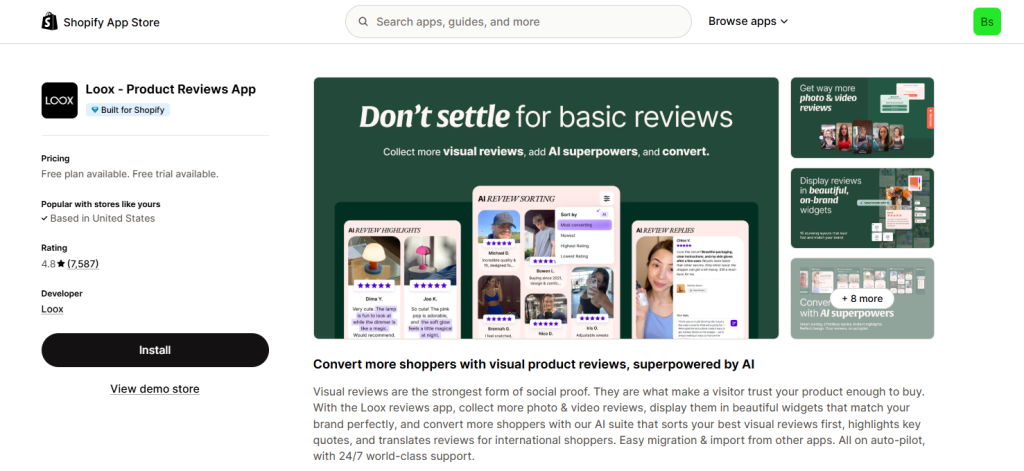
ステップ2: To enable BON to reward your customers once they leave a review, you will be taken to Shopify App Store to install Loox.
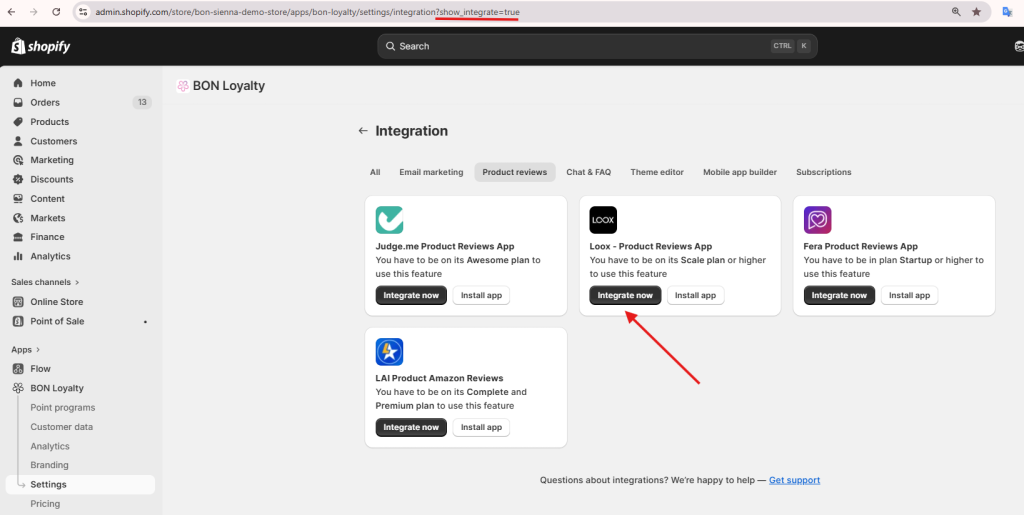
If you have already installed, then, paste this attribute ‘?show_integrate=true’ to the page’s URL to show the “Integrate now” button.
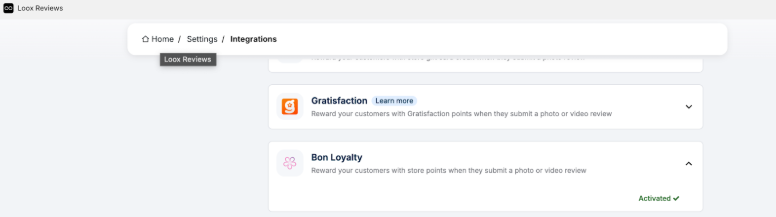
ステップ3: Once you click ‘Integrate now’, you’ll be taken to Loox app. Here, you will enter the Integration tab. Scroll down to find BON Loyalty in the list, then activate the integration.
Setting up Leave a review rule
Now the two apps are integrated, you can start setting up the points for each review written by your customer.
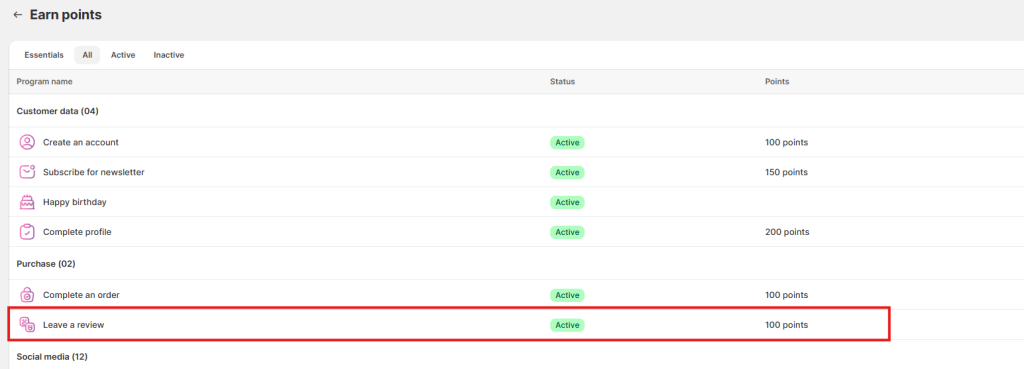
Go to Points program and select ポイント獲得. Click Set up and scroll down to find the rule ‘レビューを投稿‘.
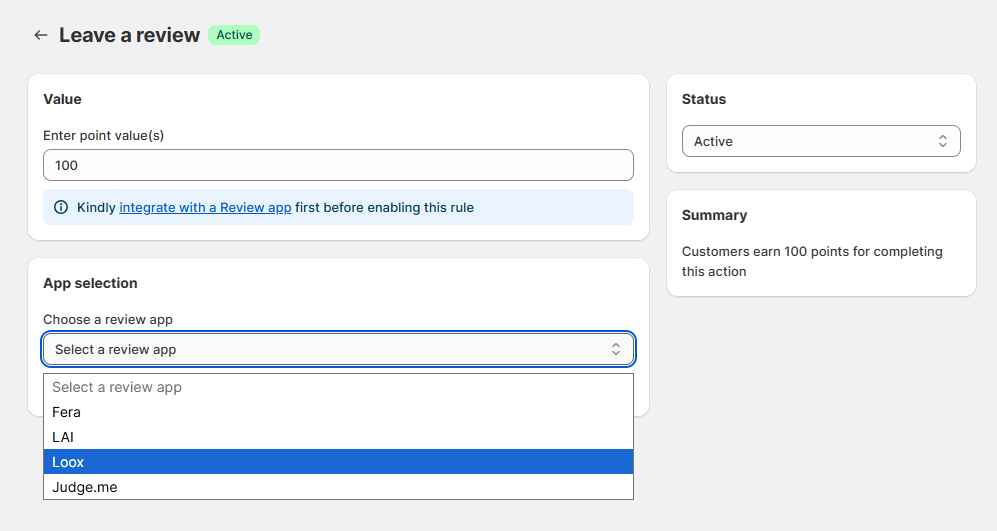
In the setting screen, you can enter the points value for each review. Then, select Loox as your Review app.
Once you have done that, click Save and you’re ready to go!