How to reward customers for leaving a review
with Fera
Learn how to reward your customers every time they leave a review in Fera
NOTE: The “Leave a review” feature will be available on the Basic plan and higher. Check out our Pricing plans for more details!
Introduction
BON has integrated with Fera, a trusted provider of review tools for online stores to let merchants easily encourage customers to show their impressions with your stores and reward customers after they submit a review.
Please note that in order to integrate BON with Fera, make sure that Fera has been installed in your store.
Integrate BON with Fera
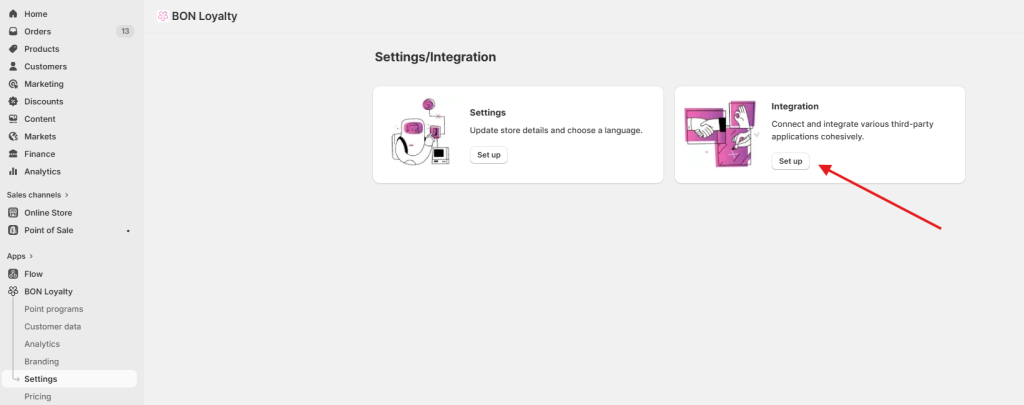
From the BON dashboard, please refer to the Settings tab > Integration.
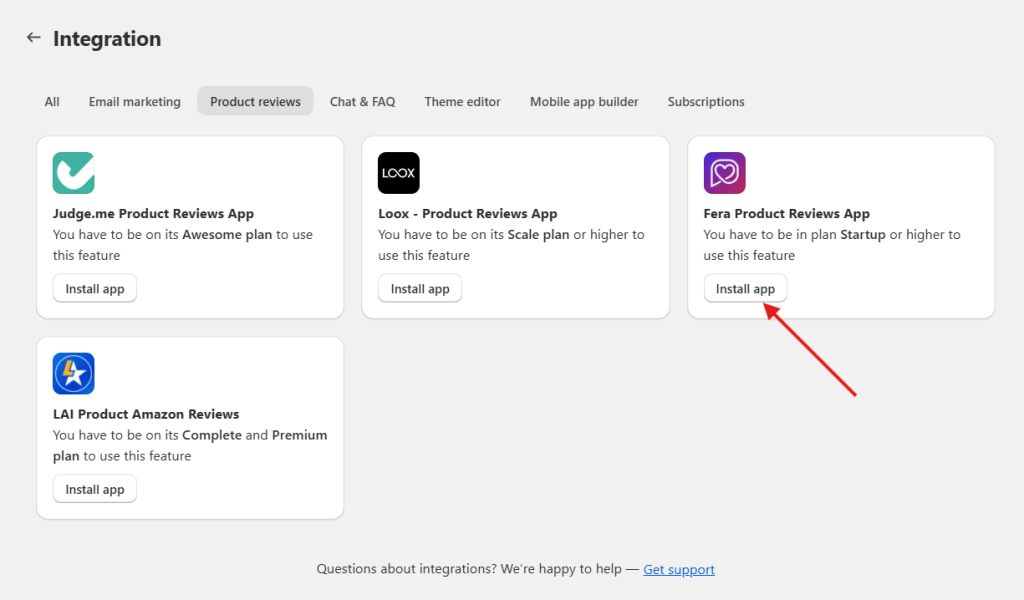
Once you’ve got the access to tab Integrate, you will be asked to install Fera. Kindly click ‘Install app’ to be navigated to Fera’s app listing.
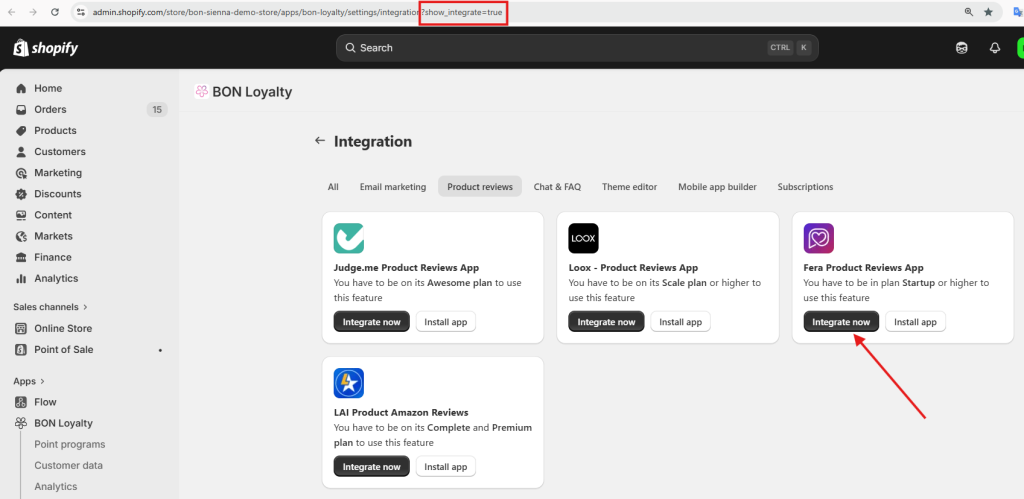
If you have already installed, then, paste this attribute ‘?show_integrate=true’ to the page’s URL to show the “Integrate now” button.
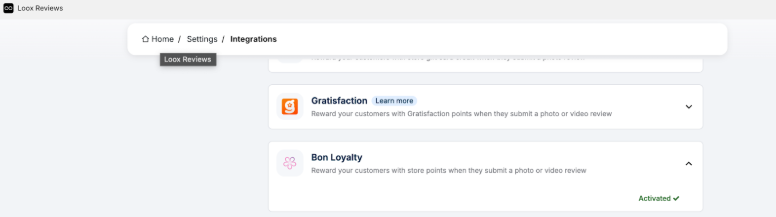
Please note that BON will not affect how merchants set up the conditions for review, please kindly configure it with Fera.
Enable Leave a review feature
NOTE: Only enable Leave a review feature after integrating with Fera in the Integration tab.
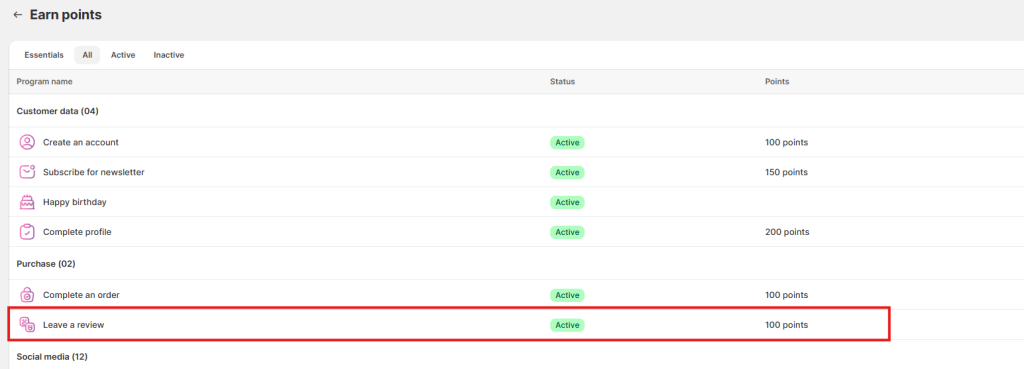
To enable the Leave a review feature, from BON dashboard > refer to Point Programs > Earn points > Leave a review.
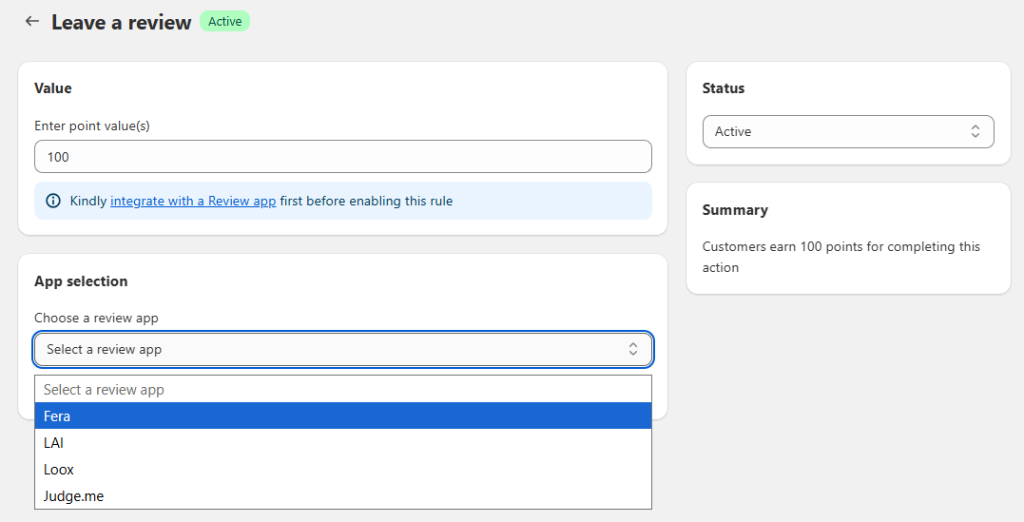
In the setting screen, you can enter the points value for each review. Then, select Fera as your Review app.
Once you have done that, click Save and you’re ready to go!